Logger
| Suitable Enviroment | Private Deployment |
Requirements
| ONES |
|---|
| v3.7.51+ |
Overview
This ability allows each plugin to print its own log, providing four levels of standard log printing methods: debug,info,warning,error, also support the export of log files.
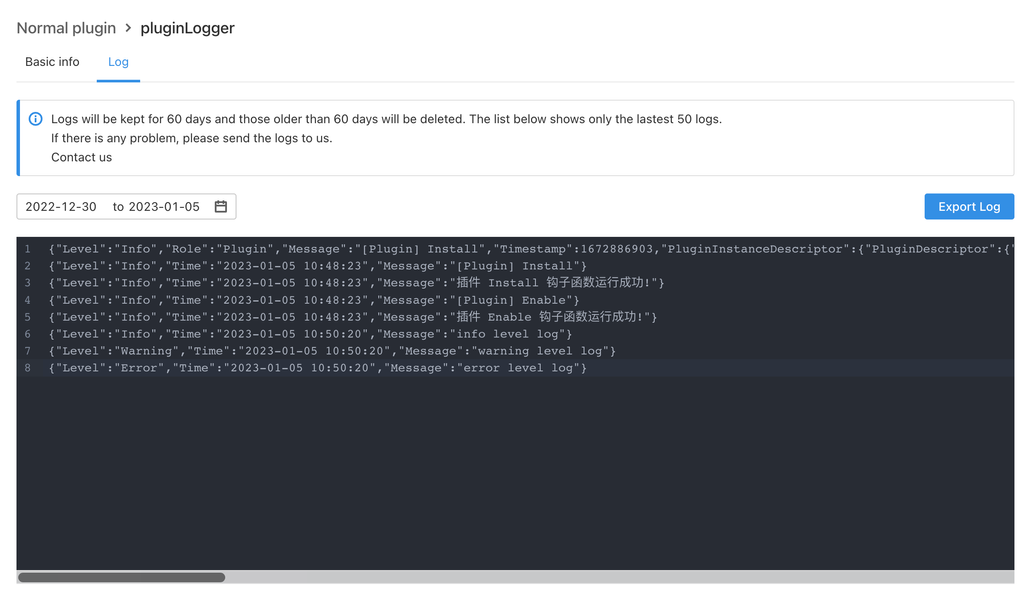
Logs printed using the standard log method are displayed in the log page in the plugin details page, which only displays logs at the info,warning and error level.
You can view the plugin log details on the details page of each plugin in Configuration -> Plugin management, as shown in the following figure.
Usage
When debugging locally, if you need to print the log to the console, you can open and configure debug_mode: true in config/local.yaml,and the log file is saved in the file in the plugin root directory ones-plugin-node-host.log.
Logger ability usage:
1. Install dependencies
Enter the /backend directory of the plugin project, and execute the following command for dependent installation:
npm i @ones-op/node-logger
2. Example
import { Logger } from '@ones-op/node-logger'

function logExample() {
  Logger.debug('debug level log')
  Logger.info('info level log')
  Logger.warning('warning level log')
  Logger.error('error level log')
}